Free
$0/month
To start: up to 3 wallets and 1 team member per wallet.
Start free- 3 wallets
- 1,000 transactions/month
- 20 transaction descriptions
- CSV export
- 1 team member per wallet
Add a public address. Chainbook imports its USDT and USDC transfers, syncs them every 10 minutes, and gives you a ledger to label and export as CSV.
Read-only: Chainbook reads public addresses and never asks for a private key.

Paste a TRON or Ethereum address into a wallet. A wallet can hold several addresses.
Past transfers are imported first; after that, new ones arrive on their own.
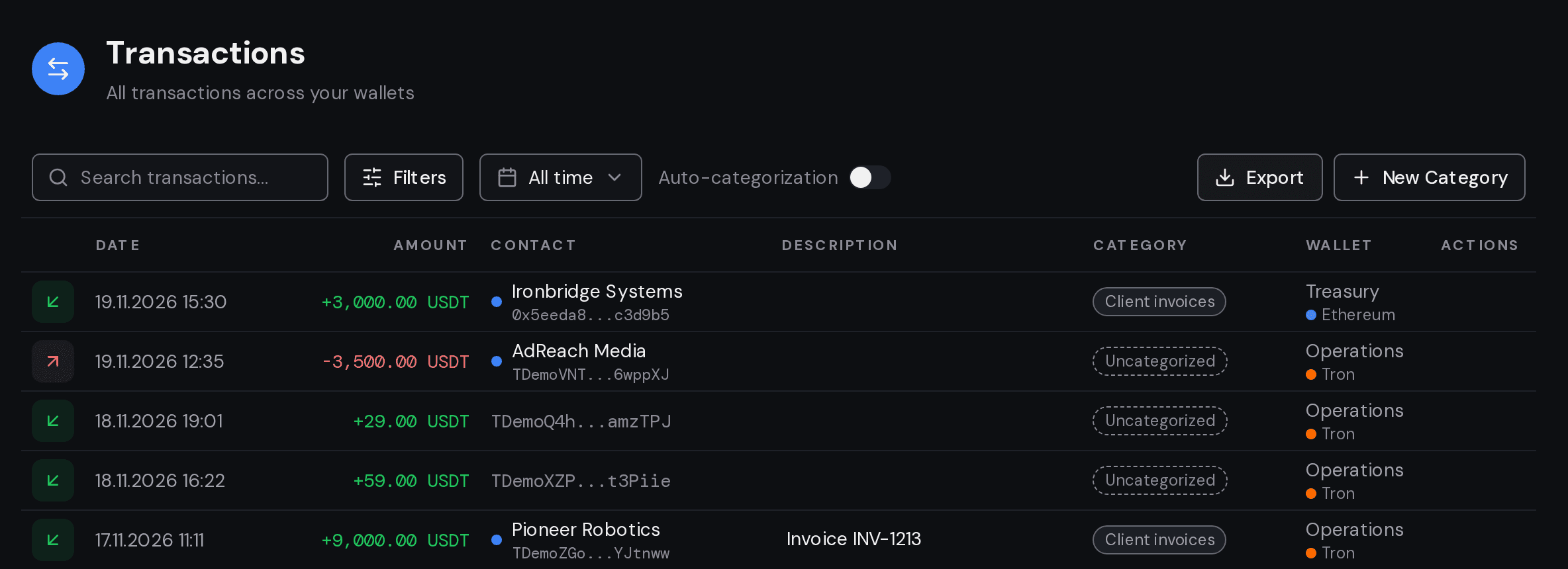
Name an address once as a contact and give it a default category. When you switch on automatic categorization, and after each import, that category is applied to the contact's uncategorized transactions.
Search by note, address, hash, category, contact or amount, and edit notes and categories in place.
The dashboard's Needs Attention card counts what is left to do: uncategorized transactions, counterparty addresses without a contact, and addresses still waiting for their first sync.
How the ledger works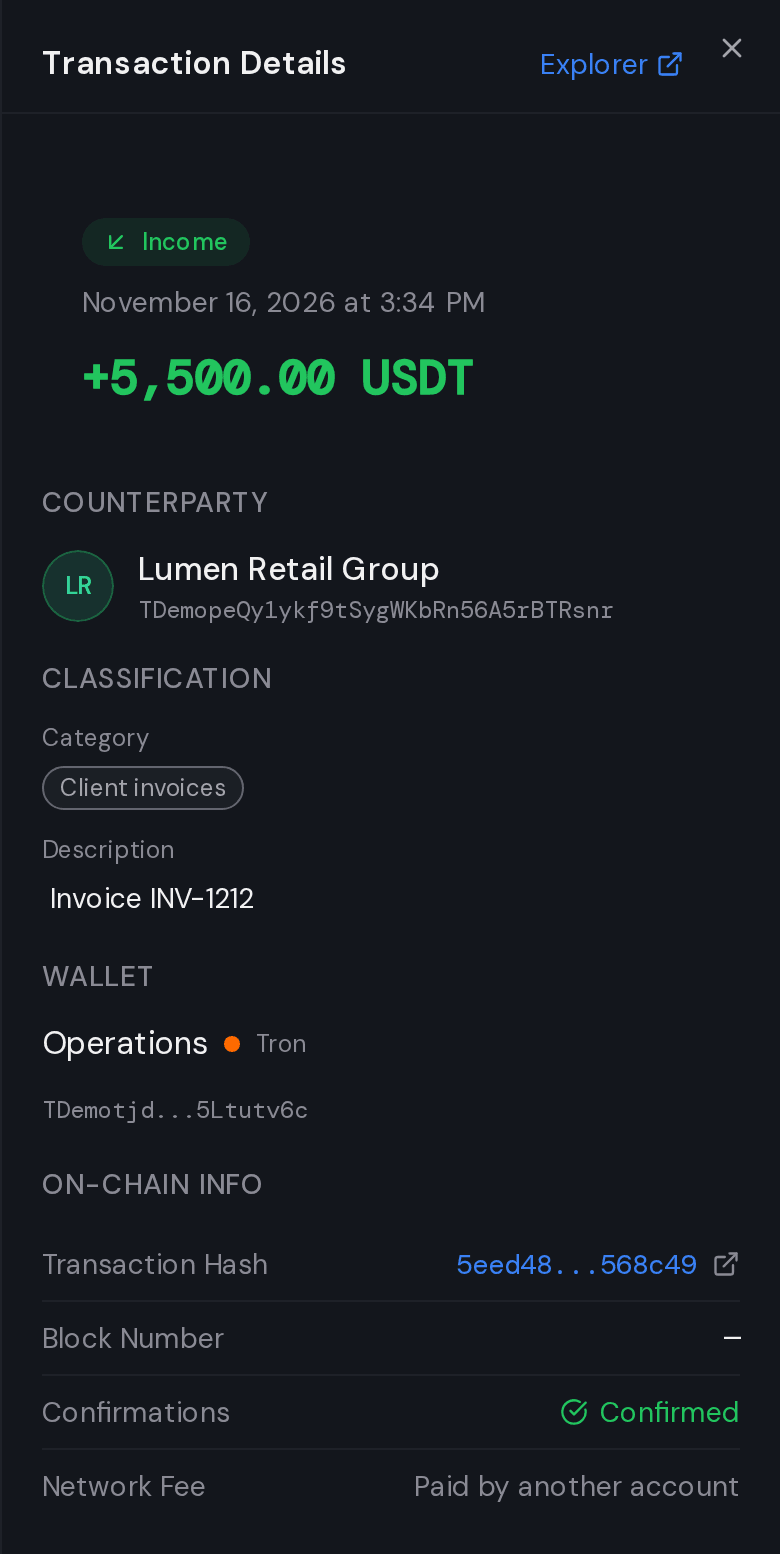
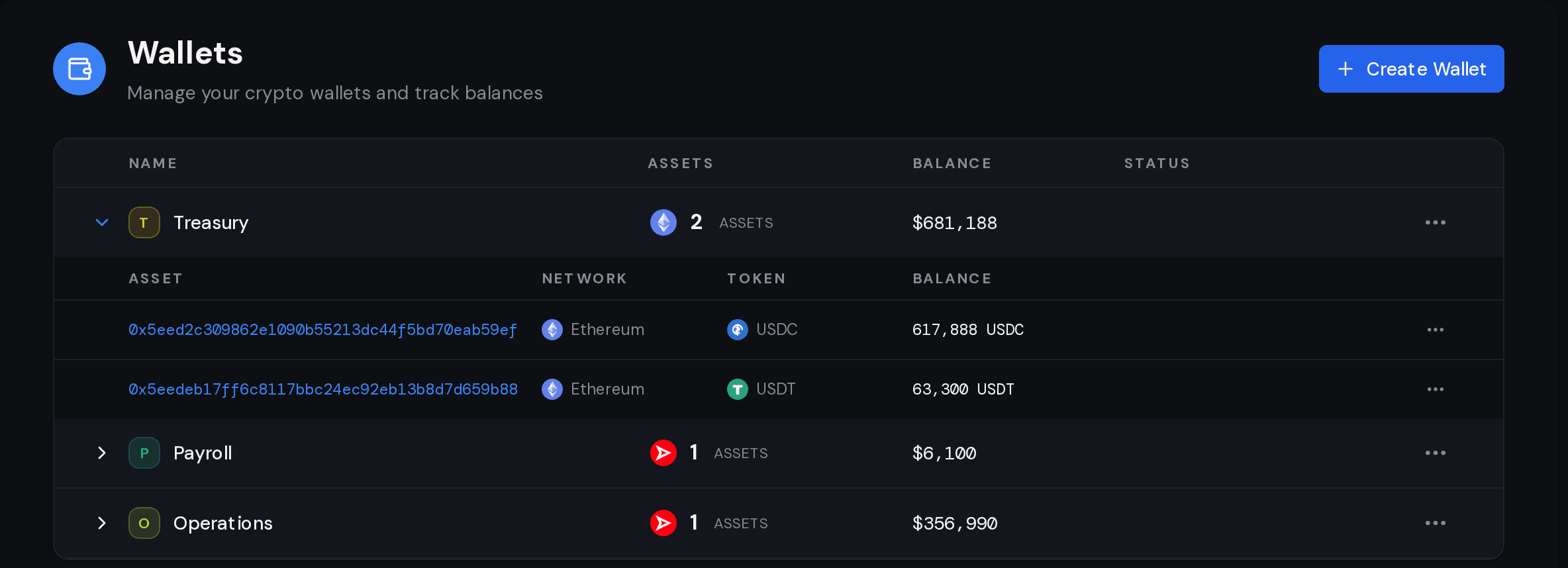
Group addresses into wallets and see each wallet's assets and balances.
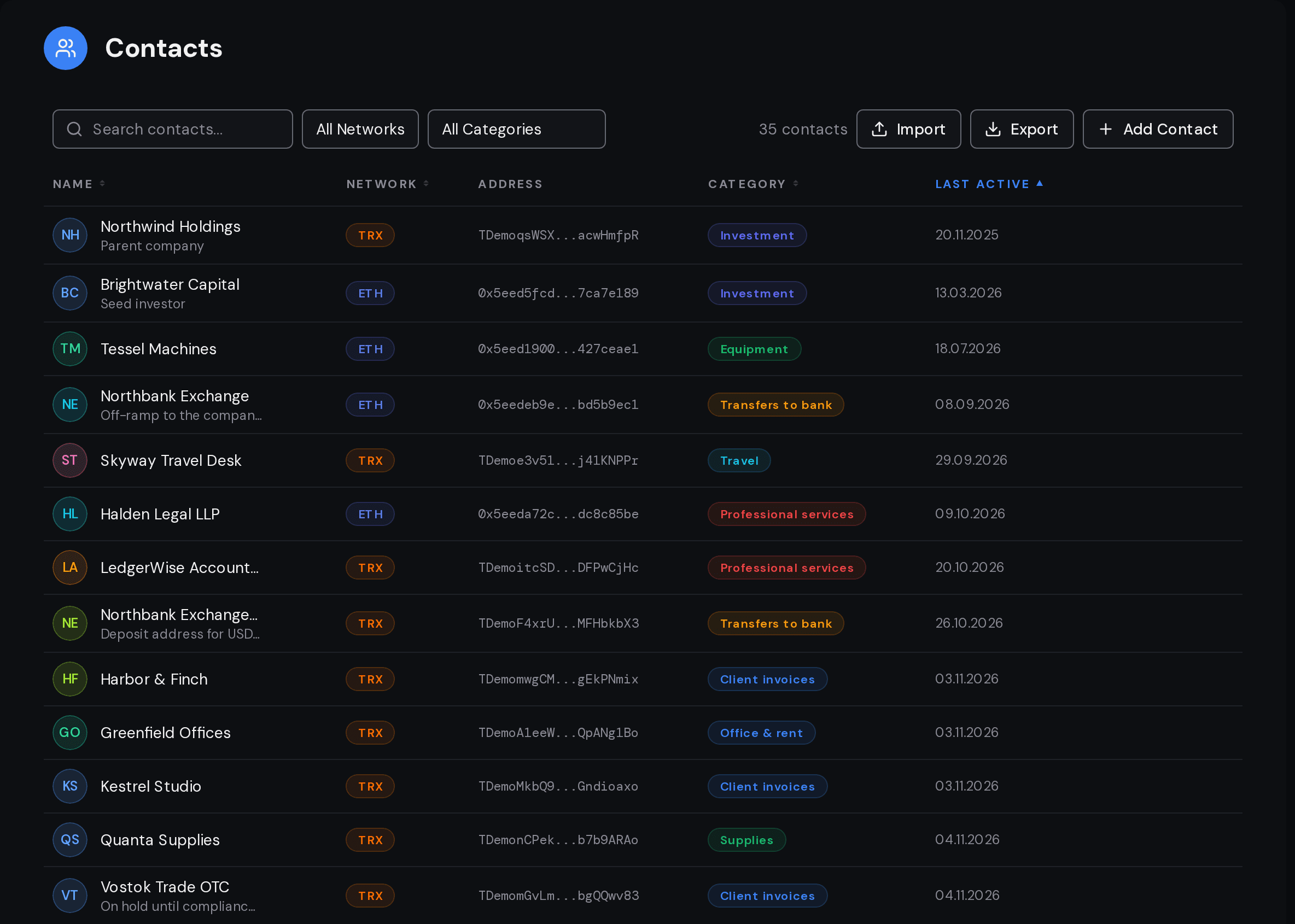
Name an address once and the ledger shows the name instead of the address. Contacts are imported from and exported to CSV.
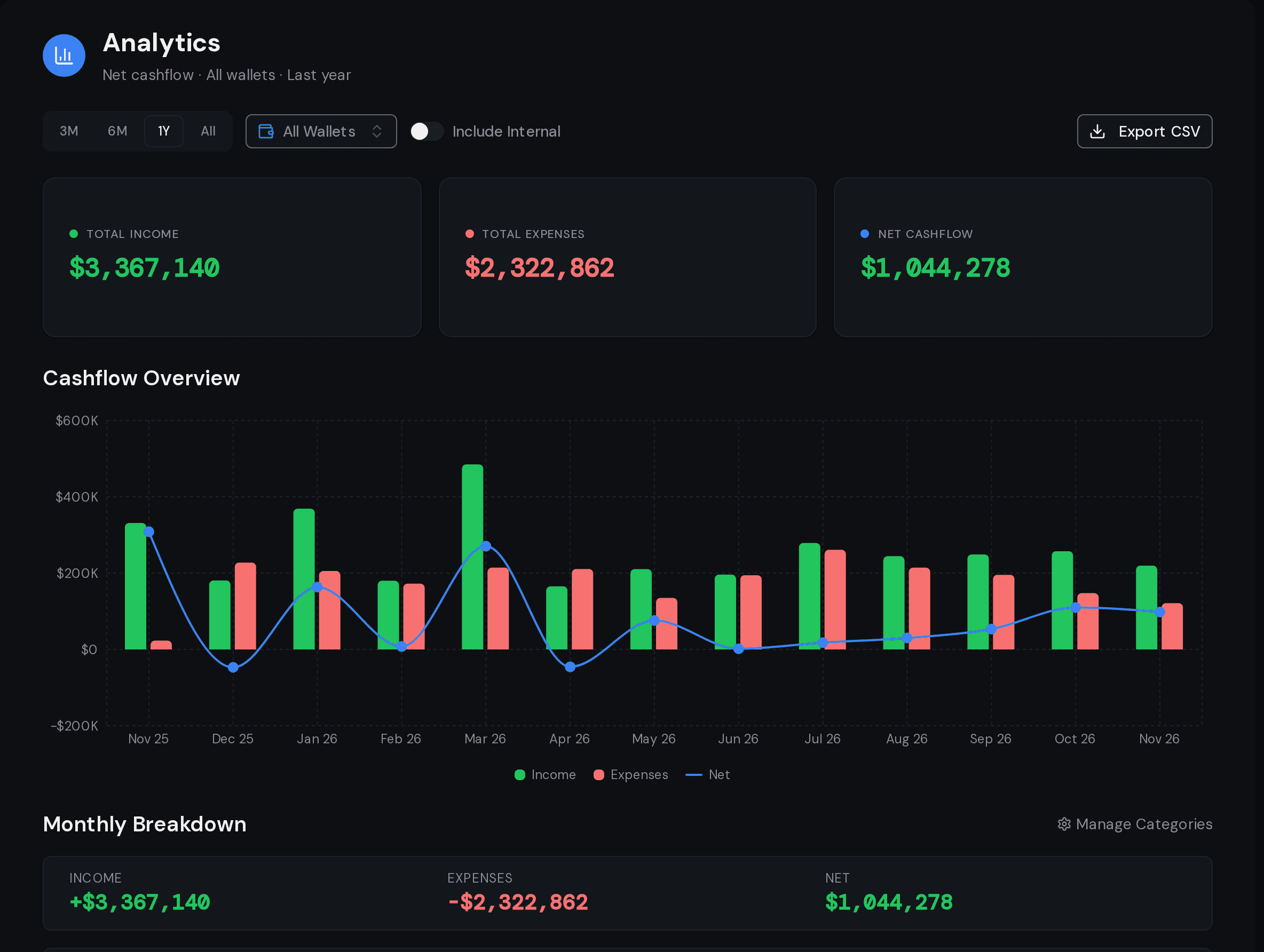
Net cashflow for the period, monthly income and expense, a breakdown by category, and each wallet's balance at the end of each month.
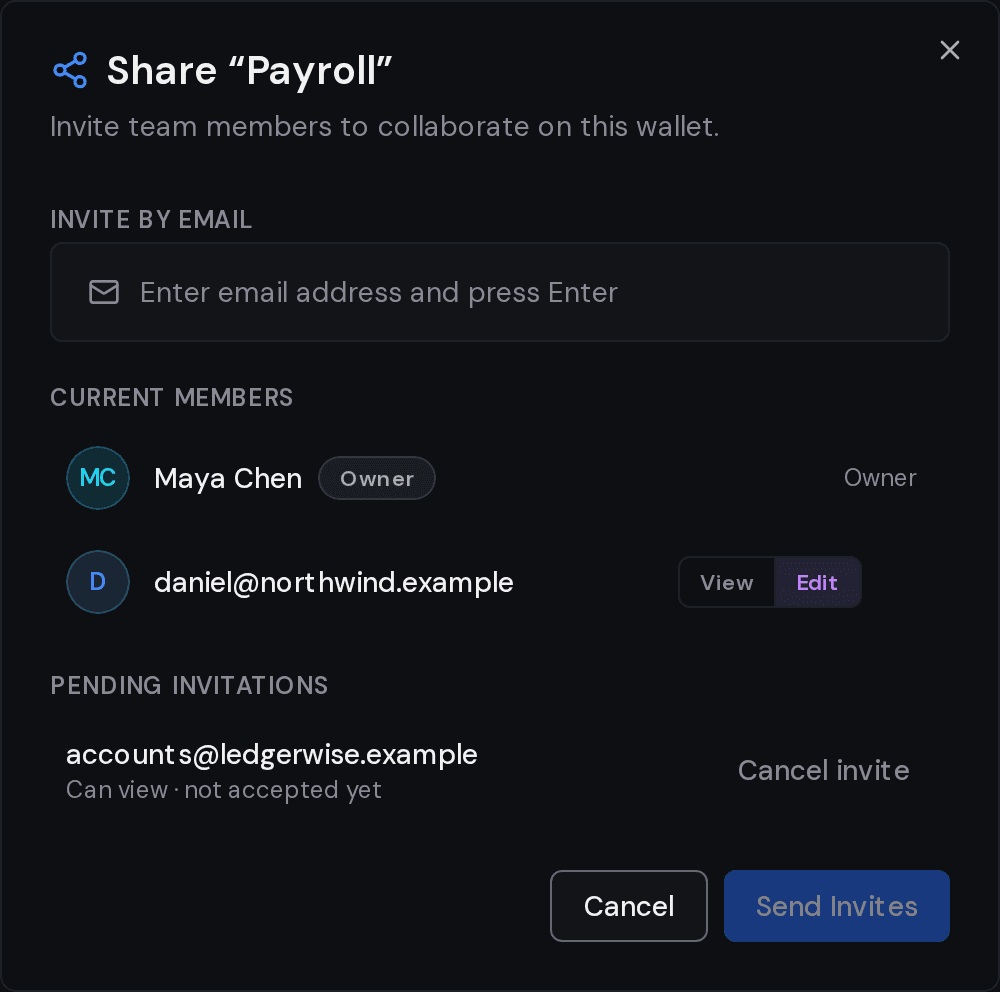
Share a wallet by email invitation, with view or edit access.
Transactions, contacts, wallet summary and analytics as CSV, up to 50,000 rows each.
What the transactions CSV contains: Date, Amount, From, To, Description, Category, Wallet, Asset, Hash
| Tokens | USDT (TRC-20 on TRON, ERC-20 on Ethereum) and USDC (ERC-20 on Ethereum) |
|---|---|
| Not imported | Native TRX and ETH transfers, other tokens, NFTs |
| Sync | Every 10 minutes |
| History per asset | Up to 10,000 transactions per tracked asset (one address with one token); an asset that reaches that stops importing and keeps its history, and the others keep syncing. |
| Export | CSV, up to 50,000 rows per file |
| Team access | Per wallet, view or edit, by email invitation |
| What it does not do | File tax forms, connect exchange accounts, track DeFi positions, send payments |
Wallet and team limits per plan are on the pricing cards below.
For small teams, freelancers, DAOs and OTC desks that pay or are paid in USDT and USDC, and for the accountants who keep their books.
Start on the Free plan.
$0/month
To start: up to 3 wallets and 1 team member per wallet.
Start free$49/month
For a team: any number of wallets and up to 5 team members per wallet.
Start 14-day free trialCustom
Limits and terms agreed with you.
Contact salesUSDT on TRON; USDT and USDC on Ethereum. Native TRX and ETH transfers, other tokens and NFTs are not imported.
No. A wallet is added by its public address. Chainbook reads the transfers of that address; it never asks for a private key or a seed phrase and cannot sign or move funds.
Up to 10,000 transactions per tracked asset (one address with one token); an asset that reaches that stops importing and keeps its history, and the others keep syncing.
Yes. Invite them to a wallet by email with view or edit access. They see the transactions, categories and notes of the shared wallet; contact names are each person's own.
No. It reads public addresses only: it does not connect exchange accounts, track DeFi positions, file tax forms or send payments. Your accountant gets the CSV export.
Yes. Free covers up to 3 wallets; the card lists the rest.
Add your first TRON or Ethereum address on the Free plan.
Start free